
B2B Supplier Hub
How Watchlists Work on B2B Supplier Hub: Price and Restock Alerts
How many products have you researched, liked, and then completely forgotten about?
If you're like most sellers, the honest answer is dozens. The price was a little high, or the stock was gone, so you moved on. And that was the end of it, because nobody goes back to re-check old searches.
Watchlists exist so that work stops going to waste. Add a product once, and the platform keeps checking it for you. Price changes, you hear about it. Stock comes back; you hear about it. The research you did last month keeps working.
How Watchlist Alerts Work (Free on Every Plan)
Every product page has an Add to Watchlist button. Click it, and you choose exactly what to watch for. You can set a target price, a restock level in units, and whether to track all suppliers for the best deal. When your numbers are hit, the alert lands in your email.
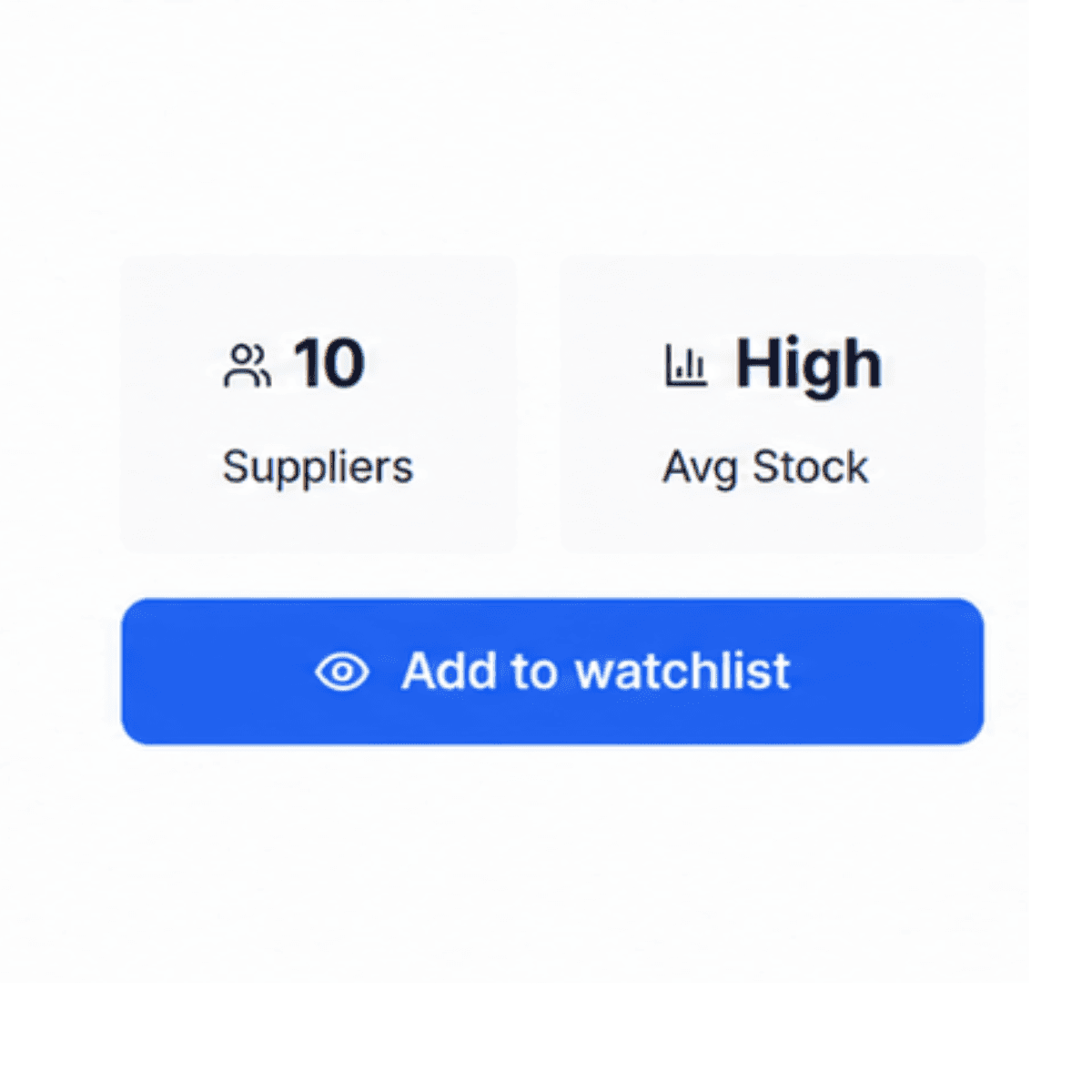
That's the whole feature, and it runs on the numbers that are free for everyone, so you never need to reveal a supplier just to track a product.
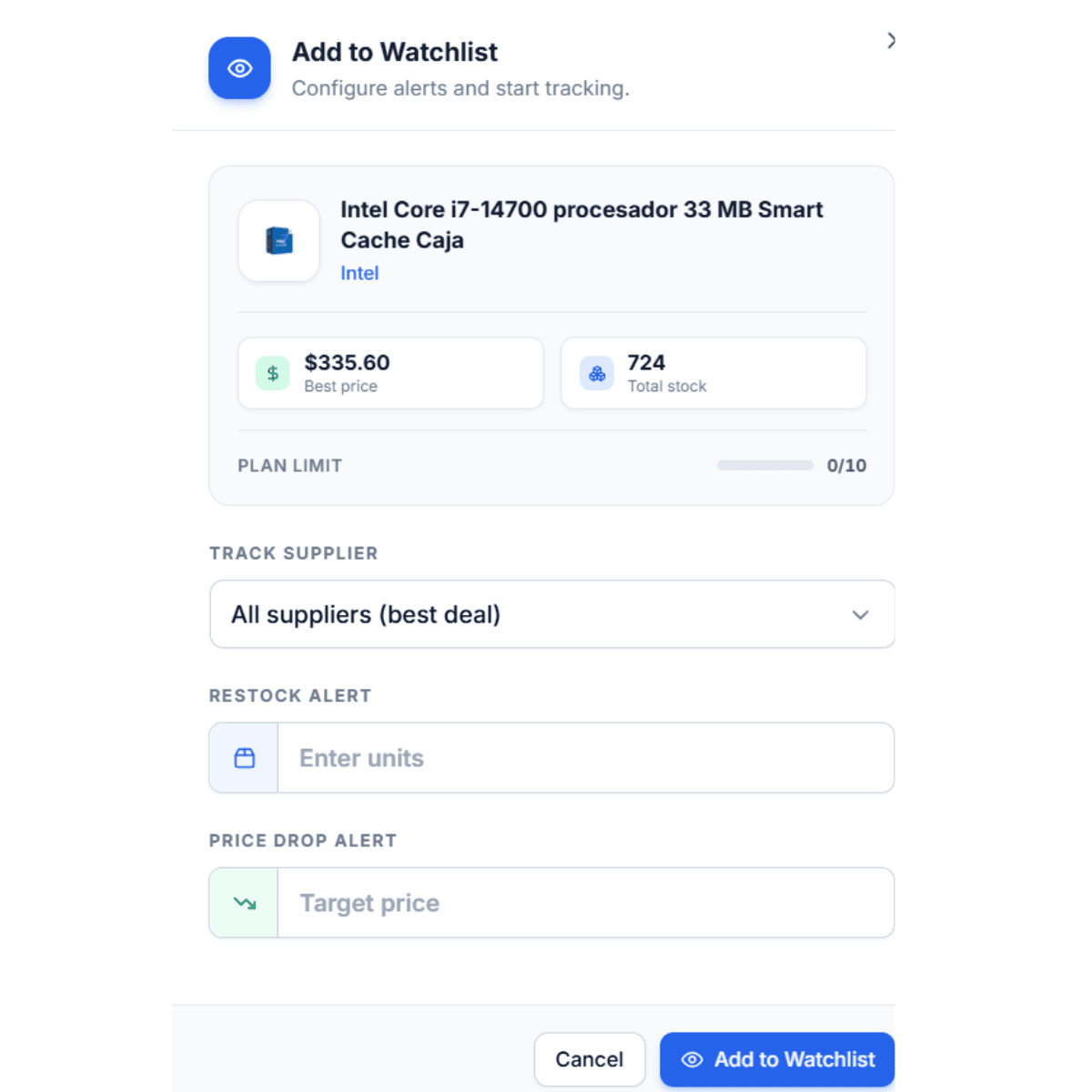
You can add products from the platform, or straight from an Amazon page using the Chrome extension, which has the same button on its card. Every plan includes a watchlist: 10 products on Free, 100 on Basic, 300 on Pro.
3 Times a Watchlist Alert Pays Off
When a Winner Comes Back in Stock:
You found a deal, but the best supplier's stock was gone, so you had to pass. Without tracking, the restock goes to whoever happens to check first. With the product on your watchlist, it comes to you.
When a Cost Finally Drops:
Some products are almost good. The margin is two points too thin, so you pass. Normally that's the end of the story, because nobody re-checks a product they passed on. On a watchlist, the story stays open. If the cost comes down, the alert brings the product back to you on the day it becomes worth it.
When Your Backup Supplier Becomes Ready:
Here's the use most sellers miss. You researched a product, revealed the best supplier, and moved on. But the second-best supplier still exists, and someday, when your first choice raises prices or runs dry, that runner-up is exactly who you'll need. Watchlist the product, and you'll know the moment the backup restocks or reprices. We covered this move in the reverse sourcing walkthrough, and this is the feature that makes it automatic.
The "Not Yet" Bucket: Where Passed-On Products Stay Alive
When you research a product, it lands in one of three buckets. Worth revealing now. Not worth anything. Or the biggest bucket by far: not yet. Wrong price today, no stock today, margin too thin today.
Before watchlists, everything in that third bucket just disappeared. You did the research, made the right call to wait, and then the waiting had no ending, because nothing ever told you the situation changed. The watchlist is where your not-yets go to stay alive, and you decide what a now looks like: enter the price that would make the deal work, or the stock level that would make it safe, and the alert fires when reality catches up to your number.
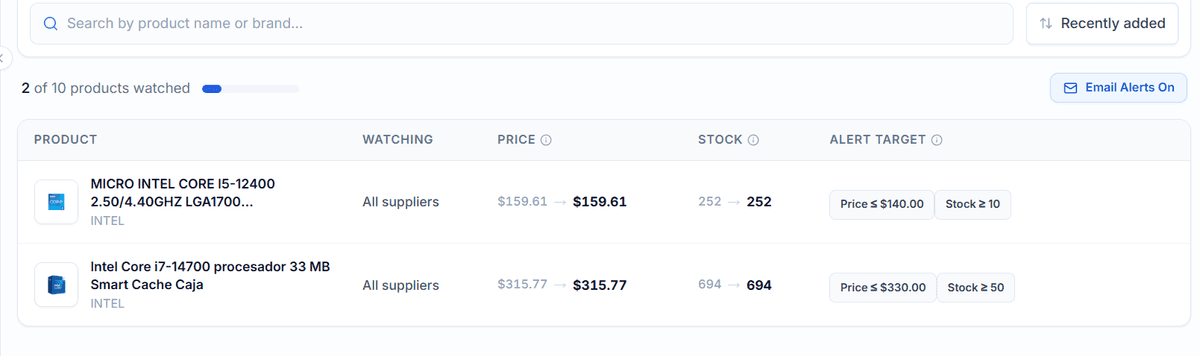
What Watchlist Alerts Don't Do
When an alert fires, look at the full picture again before acting. The cost may have dropped, but the retail price or the competition may have moved too. The alert's job is to bring you back at the right moment. The decision is still yours to make.
And watchlist alerts are part of the live layer of a subscription. If you cancel a paid plan, the suppliers you've revealed stay yours forever, but the alerts pause until you're back.
Add Your First Three Products Today
Think of the last product you looked at and thought, close, but not today. That product belongs on your watchlist. Open b2bsupplierhub.com, search it, and click Add to Watchlist. It takes ten seconds, it's free, and the next time that product moves, you'll be the seller who knew first. Then add two more.
Frequently asked questions
01How many products can I track?
02Can I choose what triggers an alert?
03Do I need to reveal a supplier to use the watchlist?
04Can I add products from Amazon?
05What happens to my watchlist if I cancel?
The B2B SupplierHub Team
Wholesale & sourcing
Stop hunting suppliers by hand. Type a UPC instead.
B2B Supplier Hub shows the suppliers in our network carrying a product on one page: wholesale cost, stock, and retail price side by side. Free to search, no card required.