
Sourcing
How to Use Keepa to Vet a Wholesale Product Before You Order
Before you commit to a case pack, 5 things on the chart decide whether the order is sound:
- The 90-day sales rank average, not today's rank
- The Buy Box seller count and how it rotates
- The price floor over 12 months
- Whether Amazon sells it
- Whether the variation you are reading is the one you are buying
That is the whole keepa wholesale check. Everything below is how to read each one and what should stop the order.
This sits inside the wider question of how sourcing methods compare, and the reason it matters more to a wholesale reseller than to anyone else is quantity. An arbitrage buyer takes a few units and finds out cheaply. You are committing to a case, sometimes a pallet, at terms, with cash that will sit in that product for weeks. Chart reading is cheap due diligence, and most of what it tells you is about risk rather than upside.
Check 1: Read the 90-Day Sales Rank Average, Not Today's Number
Today's sales rank is a snapshot taken during whatever happened this week. A promotion, a competitor stockout, or a seasonal spike can make a mediocre product look excellent for a few days.
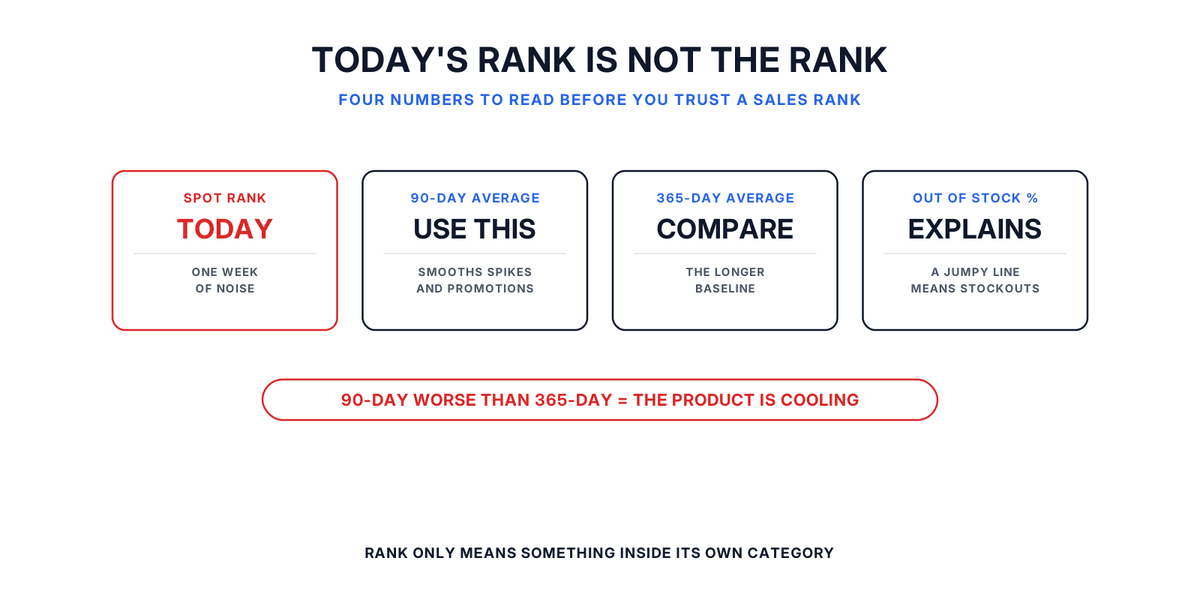
Keepa tracks sales rank as its own history series, and it also computes fixed-window averages. Its statistics documentation lists weighted averages over the last 30, 90, 180 and 365 days, which is where the 90-day number comes from. Use it instead of the spot rank, and compare it against the 365-day figure. If 90 is materially worse than 365, the product is cooling.
Two things most people get wrong here.
Rank is category-relative. Keepa records a sales rank reference alongside the rank itself, because a rank only means something against the category it was issued in. A rank of 40,000 can be strong in one category and weak in another, and comparing raw rank numbers across categories tells you nothing.
A sawtooth usually means stockouts, not demand swings. Rather than guessing from the shape, read the out-of-stock percentage, which Keepa also computes over fixed 30, 90, 180 and 365-day windows. A product with a high out-of-stock percentage and a jumpy rank is one that keeps running dry, which is worth knowing before you plan replenishment around it.
What you want overall is an average you can live with in that category, and a line that is flat rather than drifting steadily worse. A line that steps down and stays there usually means more competition or a listing change.
Check 2: Count the Sellers, Then Watch How the Buy Box Moves
A seller count on its own tells you very little. We covered this in our blog on sellers on a listing, and the short version holds here: the count matters far less than the rotation.
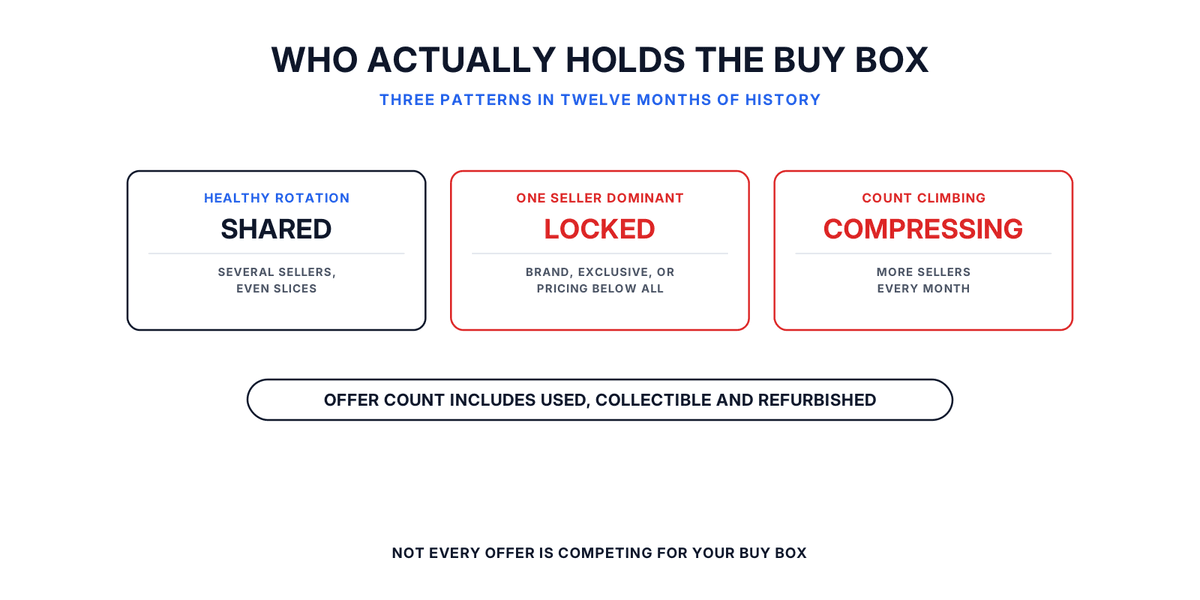
Keepa keeps a history of which seller held the Buy Box over time, not only what it cost. That history is the useful part. What you want to see is the box moving between several sellers in reasonably even slices, which means the listing supports multiple sellers at a workable price and you can expect a share of it.
What should be a matter of concern for you is when a Buy Box one seller holds almost permanently. That usually means they are the brand, exclusive, or willing to price below everyone else indefinitely. Joining that listing with a case of inventory is buying into a fight you did not pick. One trap in the Keepa seller count worth knowing: offer counts are not all competitors. Keepa's product documentation breaks Buy Box eligible offers into New, Used, Collectible and Refurbished, each split again into FBA and FBM.
A listing showing a frightening number of offers may have far fewer sellers actually competing for the new Buy Box than the headline figure suggests. Read the breakdown before you walk away from a product, and before you trust one that looks uncontested. A seller count climbing steadily over several months is an early warning that margin is compressing. By the time you take delivery, the economics may not be the ones you modeled.
Check 3: Find the Price Floor Over 12 Months
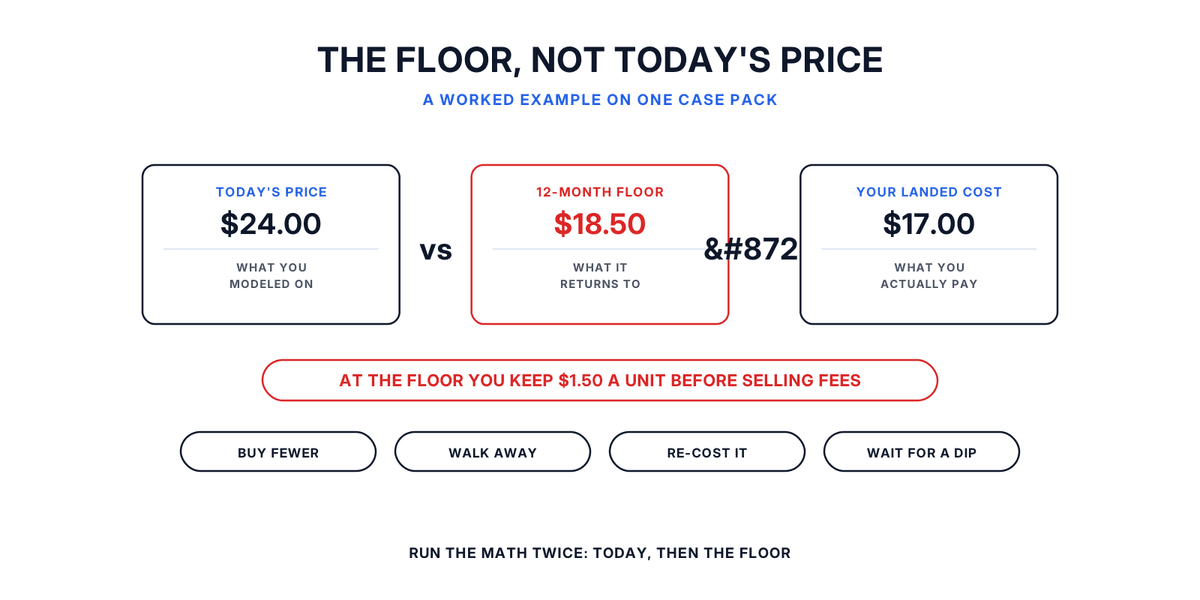
Your margin model probably uses the current price. The number that should worry you is the lowest price the listing has sustained over the past year.
Keepa records a minimum and maximum for each price type, both across all recorded history and within whatever interval you set, so the 12-month floor is a figure you can read rather than estimate. Take it from the Buy Box or New price line, not the Amazon line, because that is the price you will actually have to meet.
Prices return to their floor. If the product has repeatedly dropped to a level where your landed cost leaves nothing, assume it will go there again while you are holding stock, because clearance and Q4 cycles are predictable.
Run your profit math twice. Once at the current price, which tells you the good case. Once at the 12-month floor, which tells you whether you survive the bad one. If the floor case is a loss, the question is not whether to buy but how much, and the answer is usually less than the distributor's minimum.
This is also the check that most often reveals a case-pack problem. A product that works at 10 units may not work at 144, because moving 144 units takes longer and raises the odds you meet the floor before you sell through.
Check 4: Look for Amazon on the Listing
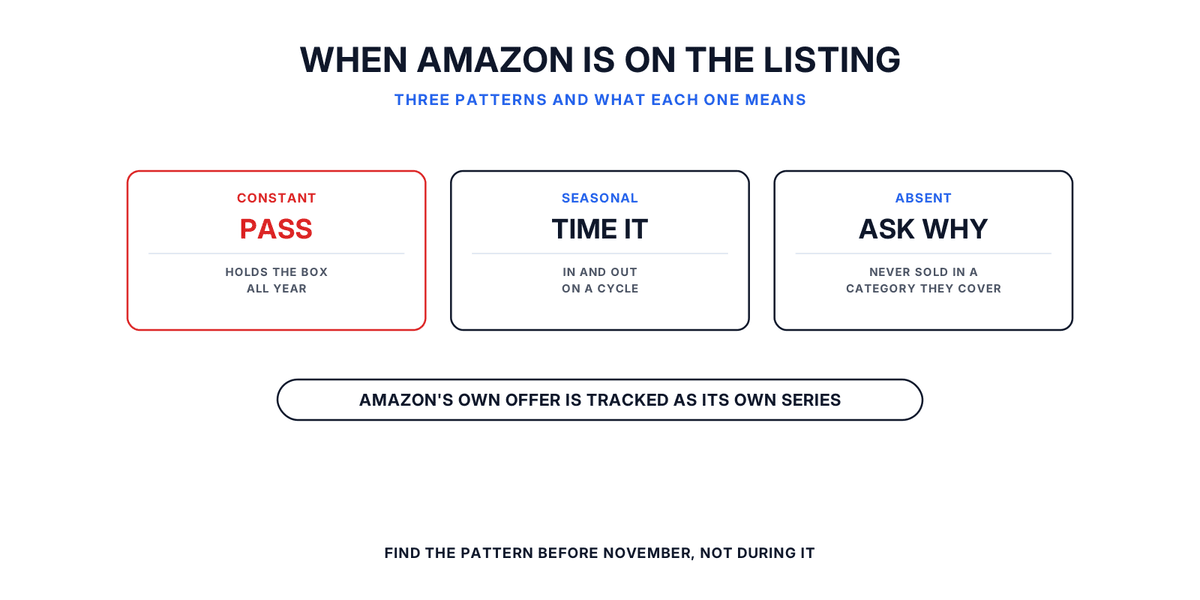
Amazon's own offer is tracked as its own series, separate from the marketplace New and Used prices, so you can see both whether Amazon sells the product and how consistently.
A listing where Amazon holds the Buy Box most of the time is usually a poor wholesale buy, because they will have better cost and will not cede the box at scale. A listing where Amazon dips in and out seasonally is workable if you time around it, as long as you know that is the pattern rather than discovering it in November.
Absence over a long period is a signal too. If Amazon has never sold a product in a category they otherwise cover thoroughly, there is often a reason, and it is worth a minute to work out what it is before you buy a pallet.
Check 5: Confirm the Variation You Are Reading Is the One You Are Buying
This check is where the costly mistakes happen, and it is specific to wholesale because you buy by exact item.
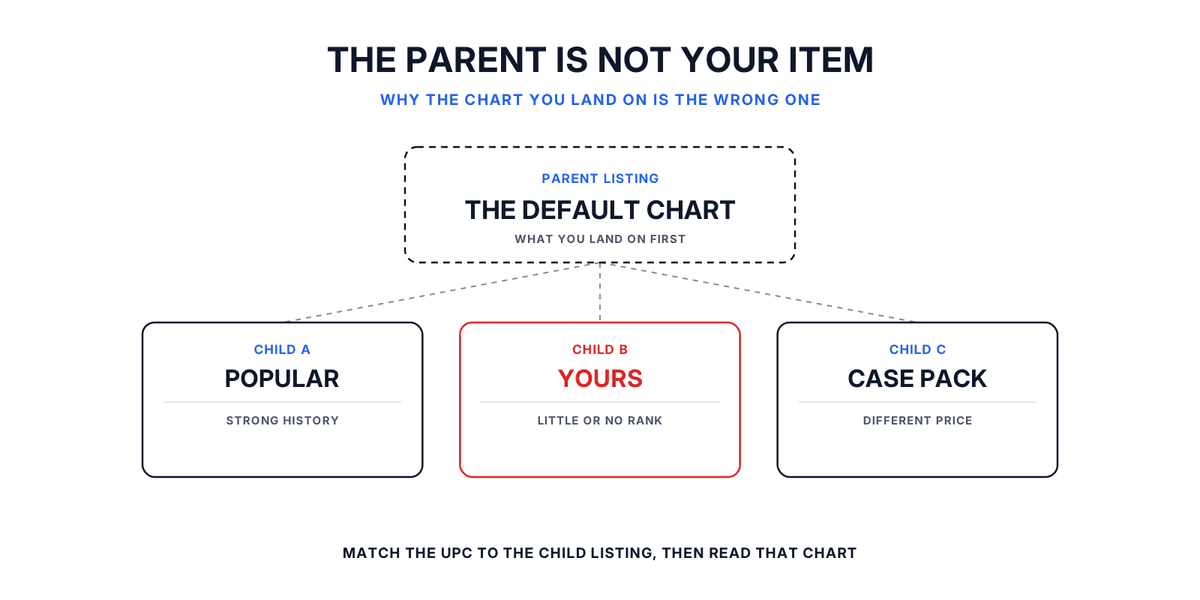
There is a structural reason it catches people. Keepa's documentation notes that variation items usually do not carry individual sales ranks, and that parent listings are a distinct product type holding an array of variation ASINs.
So on a listing with many sizes, colors or pack counts, the rank history you are looking at may belong to the parent rather than to the exact child your distributor stocks. A glowing history can belong to the popular variation while the one in the catalog is the slow one nobody wants.
So match the identifier, not the product name. Take the exact UPC or model number from the distributor's catalog, resolve it to the specific child listing, and read the chart for that one. Where a distributor line reads as a multipack or a case, confirm whether the listing you are checking is the single unit or the pack, because the ranks and prices are not comparable.
How to Read Keepa Charts Without Learning the Whole Tool
Most guidance on how to read Keepa charts tries to teach everything. For a wholesale decision you can ignore most of it.
A keepa wholesale check needs three series over 12 months: sales rank, the Buy Box or New price, and offer counts. Those three answer all five checks above. Everything else on the chart is detail you do not need to commit a purchase order.
One practical note on cost. Keepa's extension adds price history charts to Amazon product pages and, per Keepa's own extension listing, needs no account to start tracking.
Which data sits behind a paid plan, and what that plan costs, changes often enough that it is worth reading on Keepa's own site before you budget for it rather than trusting a number in a blog post, including this one.
Where the Chart Stops Being Useful: It Cannot See Supply
Keepa tells you what the market did. It cannot tell you anything about supply, and no keepa product finder workflow changes that.
It will not tell you what the product costs wholesale, which distributors carry it, whether they have stock, or whether they will sell to you. That is the other half of the decision, and no amount of chart reading substitutes for it. For a comparison of what the sourcing-side tools do, our rundown of wholesale sourcing software covers the categories.
The sequence that works is simple. Use the chart to decide whether the product is worth buying at all. Then search a product free to see real cost and real stock from the verified distributors in our network carrying it, and run your floor-price math against a cost you can actually get.
If nothing in the catalog carries it, you can ask our team to find an authorized distributor, free on every plan, with an answer within 30 days either way.
Keepa Wholesale Checks: The Takeaways
Usable whether or not you ever open our site:
- Use the 90-day average against the 365-day one. If 90 is worse, the product is cooling.
- Rank only means something inside its own category. Never compare raw ranks across categories.
- A jumpy rank line is usually stockouts. Read the out-of-stock percentage instead of guessing.
- Buy Box rotation across several sellers is healthier than a low seller count.
- Offer counts include used, collectible and refurbished offers, split by FBA and FBM. Not all of them compete with you.
- Model profit twice, at today's price and at the 12-month floor, read off the Buy Box line.
- Amazon holding the Buy Box consistently is usually a reason to pass.
- Variations often carry no individual rank, so match the exact identifier to the exact child listing.
Check the Chart Before You Order
All 5 checks ask one thing: does this product look the same over a year as it does today? A case pack ties up your cash for weeks. A keepa wholesale check costs nothing and takes one pass of the chart. Do it before you order, not after.
Frequently asked questions
01How to use Keepa to find products?
02Can I use Keepa for free?
03Which is better, Keepa or CamelCamelCamel?
04Is FBA still profitable in 2026?
The B2B SupplierHub Team
Wholesale & sourcing
Stop hunting suppliers by hand. Type a UPC instead.
B2B Supplier Hub shows the suppliers in our network carrying a product on one page: wholesale cost, stock, and retail price side by side. Free to search, no card required.